
Browse articles
- Getting started
- Project finances
- Billing by the hour
- Practice finances
- Grouping fees
- Budgeting project costs
- Claim an expense
- Recording revenue entries
- Recording project expenses
- Purchase orders
- Approving expenses
- Going further
- Construction cost fees
- Recurring fees
- Billing expenses
- Contingencies and discounts
- Billing progress claims
- Project templates
- Overheads
- Getting started
- Billing milestones
- Sending an invoice
- Billing logged time
- Month-end invoicing
- Fee proposal templates
- Writing a fee proposal
- Getting a proposal signed
- Link invoices that are already in Xero
- Going further
- Payments and overdue invoices
- Connect your accounting system
- Fee groups on invoices
- Tax codes and accounts
Team role access
Compare the Lead, Resource manager, Viewer and Member team roles side by side, then make one person Lead of a team.
What you'll achieve
Compare the team roles, then grant and verify Lead inside one team.
You'll end up with: You know what each team role allows, and Priya Sharma coordinates Marcus Webb inside Studio One without firm-wide staff administration.
Before you start
A team role works for one team's people
A team role decides what someone can do for the people who share a team with them. It sits on top of their account access level and reaches no one outside the team. If two people share several teams, Monument combines the strongest value for each switch.
The team roles side by side
The roles live on Team › Access levels, under the note that starts "A role in a team".
| Role | Teammates' profiles | Their resourcing | Their time and leave | Suits |
|---|---|---|---|---|
| Lead | View | Edit | Edit | The person who runs the studio |
| Resource manager | View | Edit | Hidden | Someone who plans who works on what |
| Viewer | View | Hidden | Hidden | Someone who only looks teammates up |
| Member | Nothing extra | Nothing extra | Nothing extra | Everyone else; the default on joining |
- 1
Open Priya Sharma, go to Access in her Profile, and keep her as a Team member, so no firm-wide power hides the example.
- 2
Go to Team › Access levels. Read the team roles note, then the Lead, Resource manager, Viewer and Member rows.
- 3
Click Lead. Profile is at View, and Resourcing, Time and Leave are at Edit.
- 4
Click Resource manager, then Viewer, then Member, and compare their switches.
Make someone Lead of a team
- 1
Go to Team › Teams and open Studio One.
- 2
Add Marcus Webb to the team. On the Access level tab, choose Lead for Priya Sharma and click Save.

- 3
Go to Team › Team members and click Preview beside Priya Sharma.
- 4
Open Team › Team members and open Marcus Webb. Click Records, then Timesheets, then Leave.
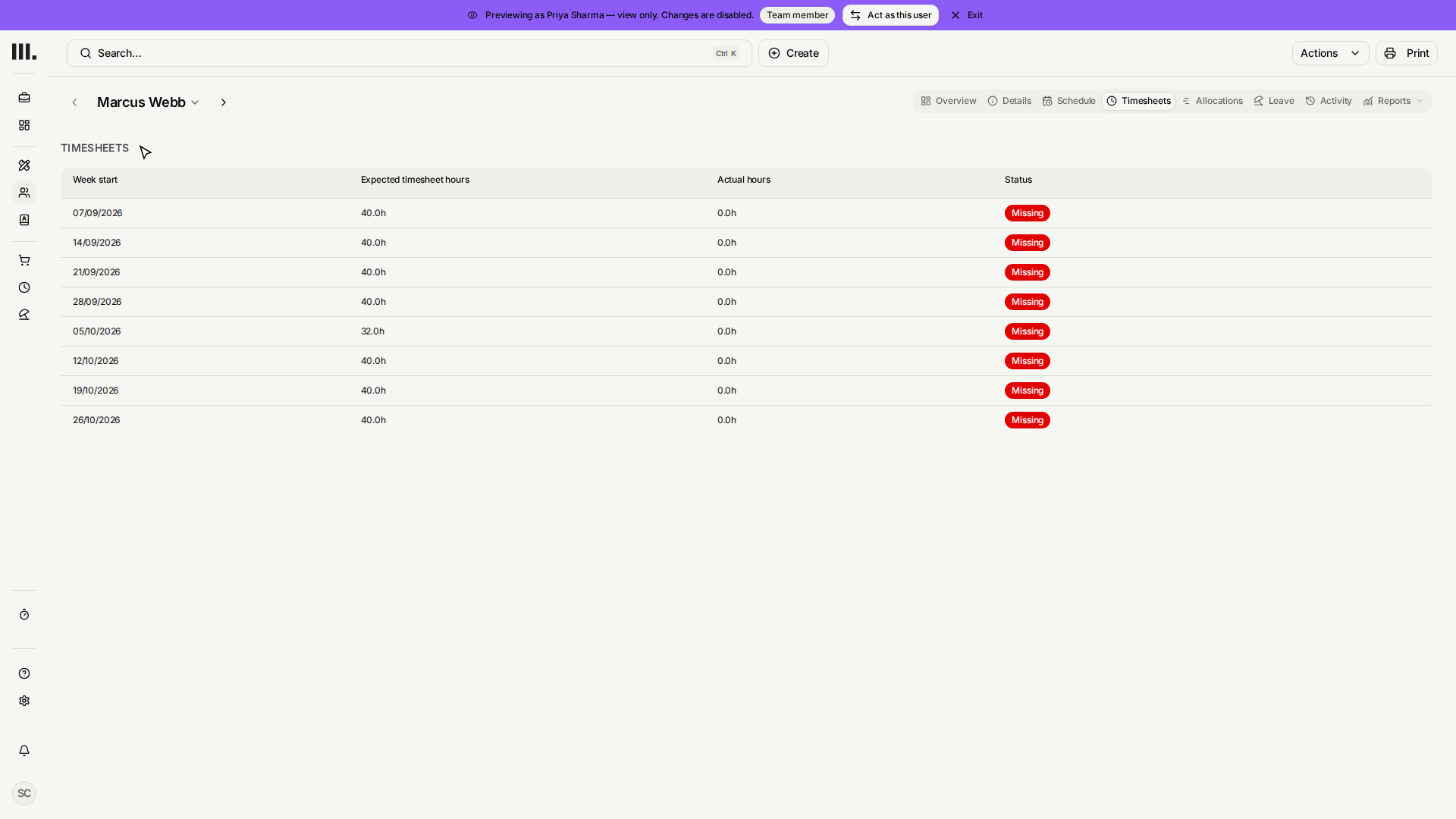
- 5
Click Exit on the Preview banner.
Priya Sharma's Lead role describes what Priya can do for her teammates. Marcus Webb's own role in the team can be different.
Troubleshooting
- Marcus Webb is missing. Check both people are saved as Studio One members.
- Timesheets or Leave cannot be reached. Check Priya Sharma's Studio One row says Lead.
- Other staff stay restricted. Correct when they do not share a team with Priya.
Where this fits next
Last, secure everyone's accounts.
Related articles
Search Monument help
Search help articles and open a result.