
Browse articles
- Getting started
- How Monument models finance
- Revenue from resourcing
- Fixed fees
- Budgeting costs
- Recording expenses
- Recording revenue entries
- Going further
- Formula based pricing and construction cost
- Recurring and periodic fees
- Revenue from expenses
- Modifiers: contingencies and discounts
- Progressive billing
- Pricing templates
- Operational expenses
- Control access to business finances
- Control access to rates
- Control who can create projects
- Control project administration
- Control staff and team management
- Control expenses and claims
- Control report definition editing
- Control access to contacts
- Give full project control with Owner
- Manage project work without changing money
- Let project members edit tasks safely
- Share a project safely with Viewer
- Let a team lead coordinate shared work
- Share teammate profiles without management access
- Keep team members focused on their own work
Pricing templates
Save a configured project, its stages, role or pool resourcing, and pricing as a template, then start new projects from the same reusable plan.
What you'll achieve
Capture a project's whole setup as a reusable template so new jobs start pre-built.
You'll end up with: A saved template, and a new project with copied stages, pool-based resourcing, and pricing.
Before you start
By now Riverside Apartments is a real working project: stages on the timeline, people allocated, fees priced. If the next job looks similar, and in a firm the next job usually does, you don't want to build all of that again from scratch. Save it as a template and every future project can start from the same, considered setup.
The idea: a template is a project frozen as a starting point
A template captures the reusable shape of a project, its stages, role or pool resourcing, and the pricing model, and stores it under a name. Creating a project from that template copies that plan into a fresh project, which you then adjust for the specifics of the new job.
Named people are deliberately left out. If Sarah Chen owns an allocation on the source project, the template keeps the role or pool capacity behind that allocation, not Sarah herself. In this example, Sarah's work becomes an Organisation pool allocation. The new project starts with realistic hours and pricing, while you stay free to choose the person who will actually deliver it.
So the work you put into structuring and pricing one project pays off on every project after it. Your firm's way of doing things becomes the default, not something each person reinvents.
Save the project as a template
- 1
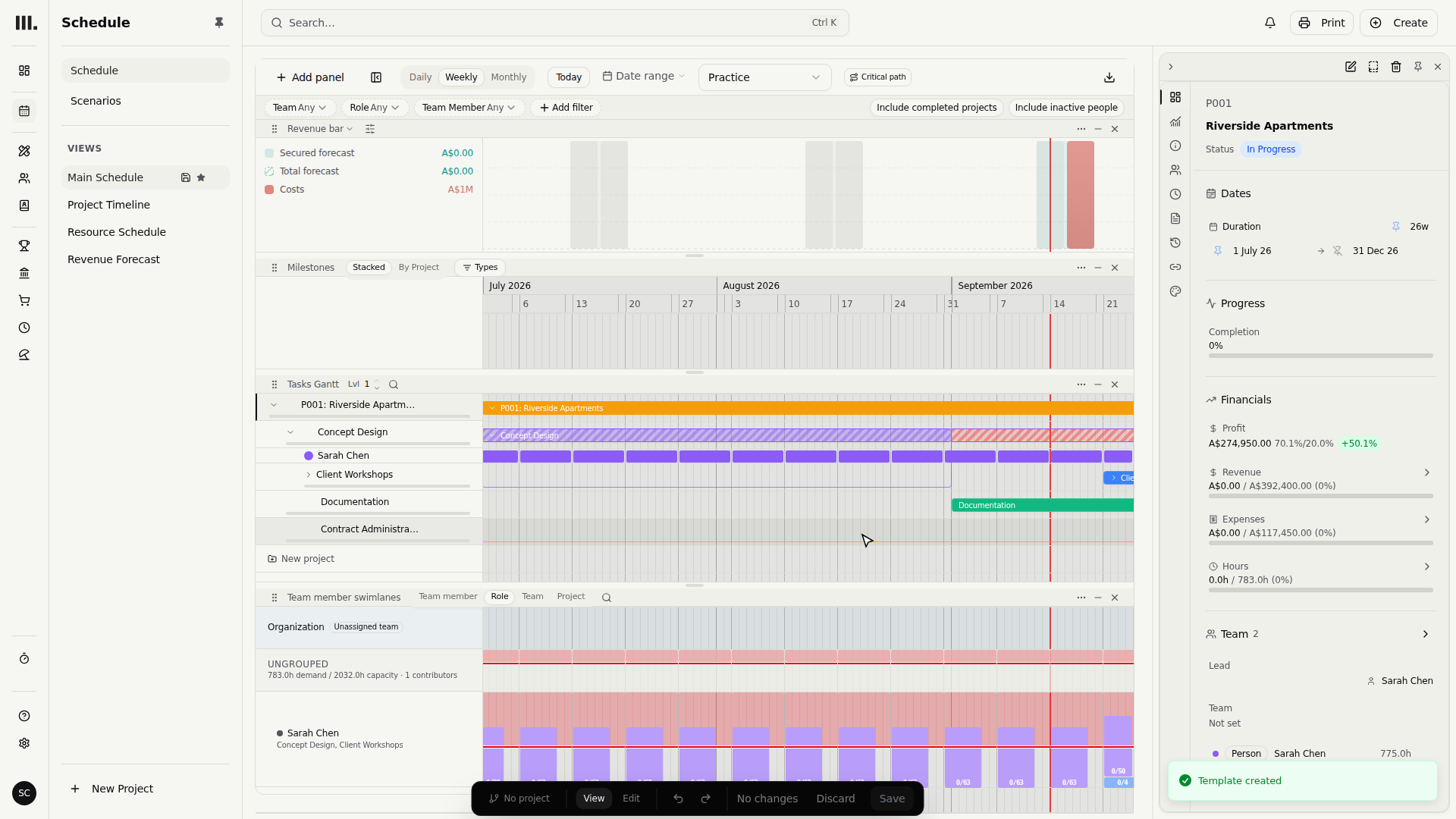
Expand Riverside Apartments and inspect its shape first: Concept Design, Documentation, and Contract Administration across the timeline.
- 2
Open Concept Design to see Sarah Chen's allocation and its resourcing track.
- 3
Open the stage's finance breakdown to see the allocation-based revenue and expense items that belong to this shape.
- 4
Select the Riverside Apartments project to open it in the panel.
- 5
Open the actions menu (⋯) in the panel and choose Save as template.
- 6
Name it Riverside Template and save.
Templates are reusable, so name them for the type of project they suit, like "Residential, fixed fee" or "Fitout, construction-cost percent", rather than the one job you happened to build them from.
Start a new project from it
- 1
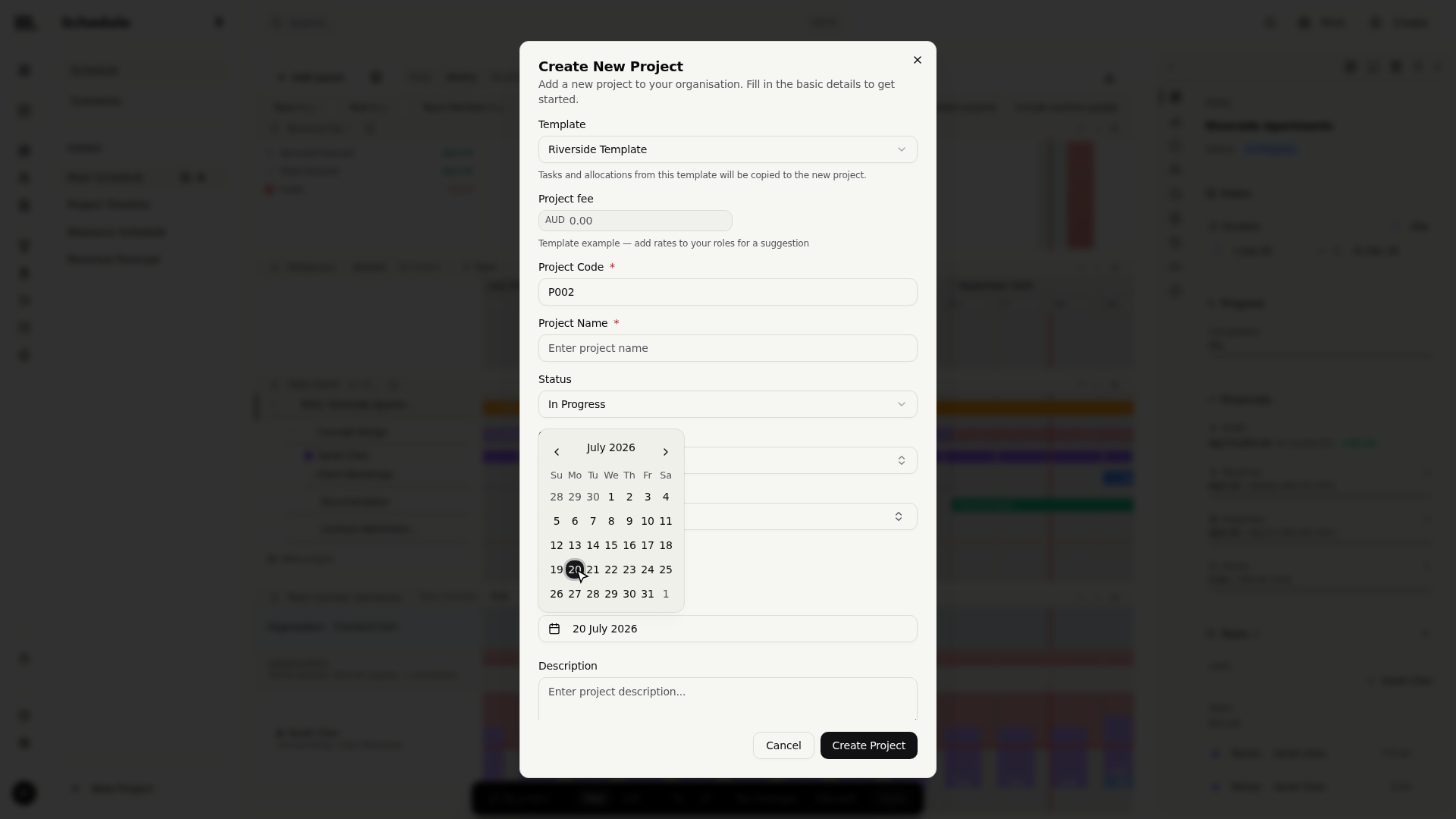
Click New Project.
- 2
In the Template field, pick your Riverside Template instead of starting blank.
- 3
Set the new start date to July twentieth, name the project Harbourside Studios, and create it.
The new project opens already built. Expand Harbourside Studios and Concept Design now starts on July twentieth, with the copied stage sequence shifted to match. The Organisation pool allocation and its resourcing track land on those new dates, and the stage's allocation-based revenue and expense items come with them. The template preserves the shape while the new start date relocates it.
- 1
Expand Harbourside Studios and confirm the same three stages are present at the new dates.
- 2
Expand copied Concept Design and confirm the Organisation pool allocation and track moved with it.
- 3
Open copied Concept Design finance and confirm its allocation-based pricing arrived too.
Troubleshooting
- No Template field on the new-project form? It only appears once you have at least one template saved. Save one first.
- The template froze a moment in time. Later changes to the original project don't flow into the template. Save it as a new template if your standard setup evolves, or edit the existing template directly.
- A named person did not copy. That is intentional. Templates preserve role or pool capacity instead of assigning future work to a particular person. Choose the person after the new project's team is known.
- Copied, not linked. Projects created from a template are independent; editing one doesn't affect the others or the template.
Where this fits next
You can price work and reuse that pricing across projects. Next in the firm's money flow: turning that planned revenue into actual bills, with milestones that plan revenue.
Search Monument help
Search help articles and open a result.