
Browse articles
- Getting started
- How Monument models finance
- Revenue from resourcing
- Fixed fees
- Budgeting costs
- Recording expenses
- Recording revenue entries
- Going further
- Formula based pricing and construction cost
- Recurring and periodic fees
- Revenue from expenses
- Modifiers: contingencies and discounts
- Progressive billing
- Pricing templates
- Operational expenses
- Control access to business finances
- Control access to rates
- Control who can create projects
- Control project administration
- Control staff and team management
- Control expenses and claims
- Control report definition editing
- Control access to contacts
- Give full project control with Owner
- Manage project work without changing money
- Let project members edit tasks safely
- Share a project safely with Viewer
- Let a team lead coordinate shared work
- Share teammate profiles without management access
- Keep team members focused on their own work
Share a project safely with Viewer
Use Viewer for read-only project access without revenue, expenses, or task editing.
What you'll achieve
Grant and verify Viewer access on one project.
You'll end up with: Priya Sharma can inspect Riverside Apartments without seeing project money or changing its tasks.
Before you start
Viewer is the read-only project level
Viewer hides Revenue and Expenses and sets Tasks, Resources, and Time to View. It suits someone who needs project context without responsibility for project delivery or financial decisions.
The example uses a manual grant on Riverside Apartments. Priya Sharma stays on Contributor at account level, so no firm-wide project administration obscures the project result.
Verify read-only access
- 1
Save Contributor for Priya Sharma.
- 2
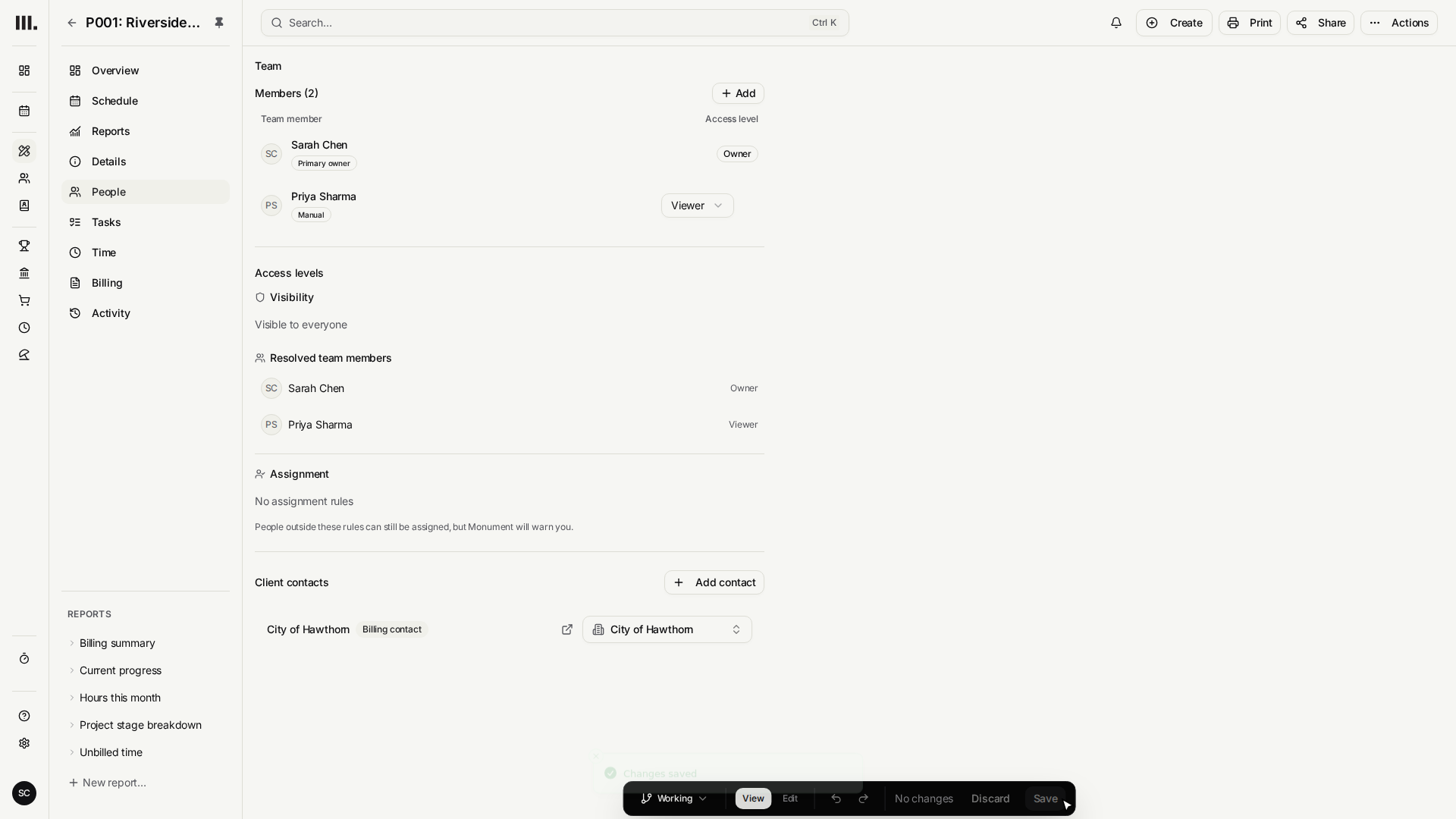
Open Riverside Apartments Members, add Priya Sharma, choose Viewer, then click Save.
- 3
Start Preview and open Riverside Apartments from Schedule.
- 4
Confirm Revenue and Expenses are absent, and confirm the task Edit and Delete controls are absent.
A protected amount is absent or shown as an em dash. Monument must not replace it with zero, because zero would look like a real project result.
Troubleshooting
- Task editing is still available. Confirm the Members row says Viewer rather than Member.
- The project is missing. Confirm Priya Sharma has a manual Riverside Apartments row.
- Financial cards appear. Check whether another manual grant selects Manager or Owner higher in the same project branch.
Where this fits next
Use Member when someone should edit project tasks while project money remains hidden.
Related articles
Search Monument help
Search help articles and open a result.