
Resourcing
Reserve the role, then move its hours to a person when leave or project priority changes the plan.
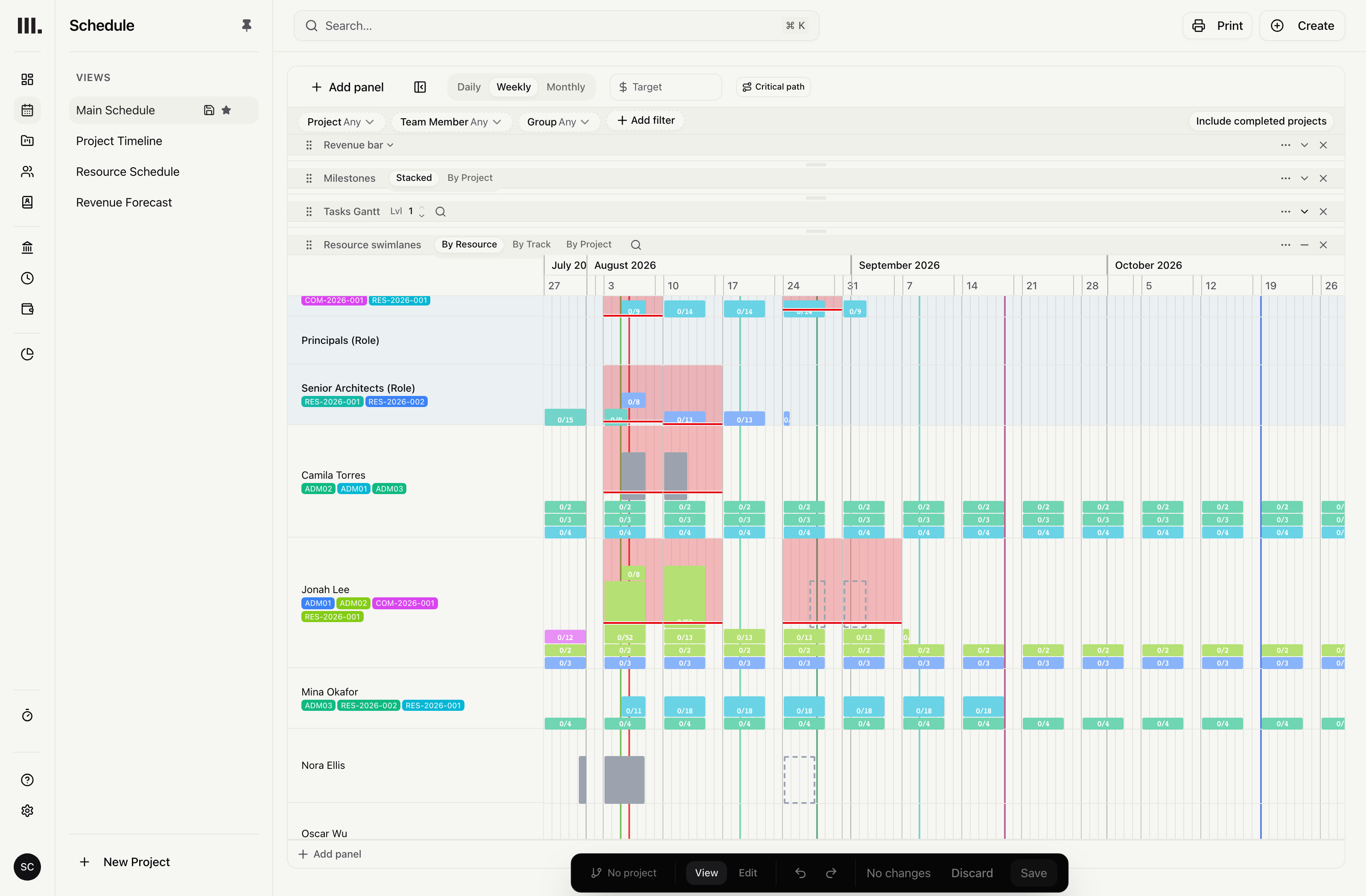
Wednesday broke Monday's resourcing plan.
The plan named individuals; then someone went off sick, another job went hot, and the whole meeting had to happen again.
Long projects outlast the first staffing plan. Hold planned hours against a team or role until you know the person.
Plan before every name is known.
See planned hours and remaining capacity across the practice. Reserve the role, then assign the hours when the plan firms up.
Every project, one view
Review planned hours and remaining capacity before committing more work.
Hours held for a role
Reserve hours for the required role, then keep that role visible when a person is assigned.
Transfer without rebuilding
Move planned hours from the team or role to a person as availability and project priorities change.
Regroup the view. The plan stays put.
Group the view by team, role, discipline, skill or office without rewriting the planned hours underneath.
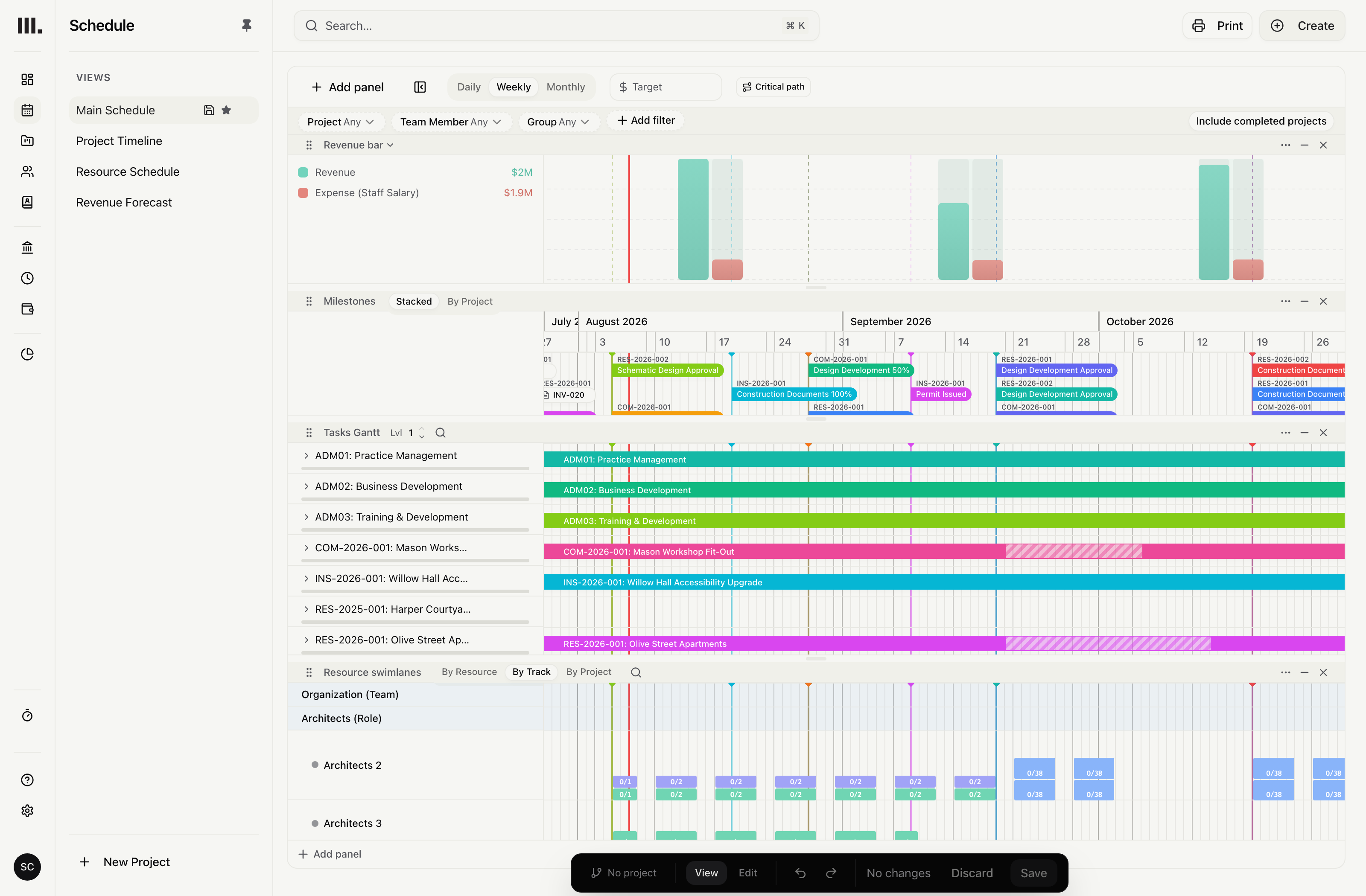
Group by discipline
Review people with the same discipline together while their planned hours stay on the team, role or person.
Group by skill
Review planned hours through recorded skills without treating a skill as a person or team.
Group by office
Review offices across every project while each assignment keeps its dates.
Group the plan, then assign people.
Discipline, skill and office make the practice easier to inspect, but work is still assigned to a team, role or individual.
Resource the practice
Explore related capabilities
Name the person when you know who.
Book a demo to see how one project from your practice moves through Monument.