
Permissions
Set practice, project and people access independently.
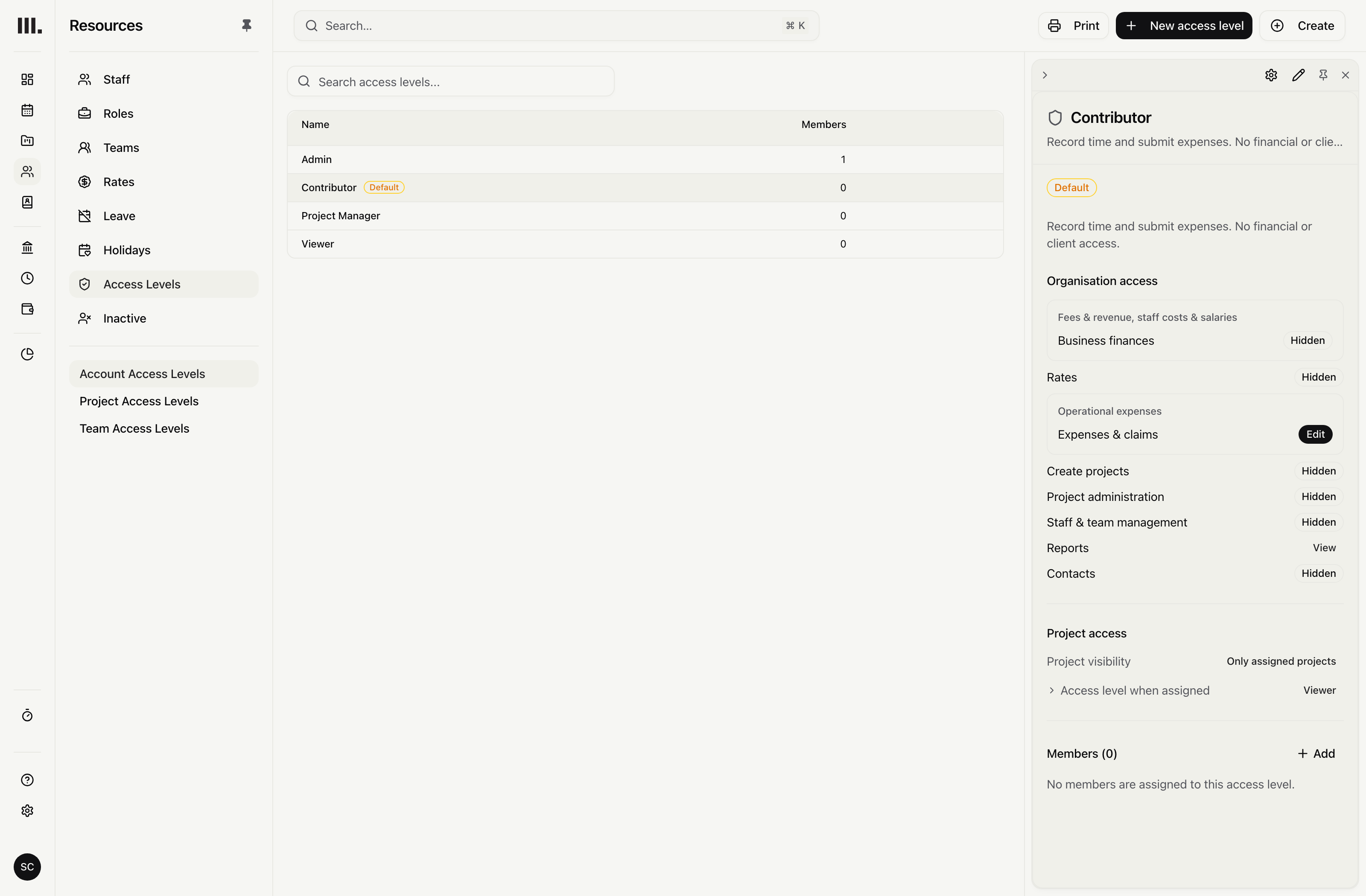
Set hidden, view or edit for business finances, rates, projects, expenses, reports, contacts, time, leave and assignments, then grant project access through the work.
Set access domain by domain.
Keep practice, project and people permissions separate instead of making one administrator-or-member choice govern everything.
Practice permissions
Separate business finances, rates, project controls, staff, expense claims, reports and contacts.
Project permissions
Set Revenue, Expenses, Tasks, Resources and Time independently.
People permissions
Set Profiles, Time, Leave and Assignments independently.
Grant access through the work.
Grant project access directly, through ownership or assigned work, or by team, role, discipline, skill, office or person. Access to one task branch does not expose another.
Direct access and ownership
Assign access manually or through ownership of the main project.
Assigned work can grant access
Use access from assigned work when no direct or ownership access applies.
People filters
Match everyone, team, role, discipline, skill, office or person.
Hide money without showing zero.
Keep practice finance, rates, project revenue and project expenses separate, then narrow financial access by office.
Separate financial access
One finance permission does not silently grant every financial value.
Absent, not zero
Unavailable money and affected totals remain absent instead of showing $0.
Reports respect the same access
Shared reports still require access to the projects and records they contain.
Preview access before you hand it over.
See the product as another team member in a read-only preview, then invite people with a Viewer login when that boundary fits.
Read-only preview
See exactly what the selected person sees; no changes can be made in preview.
Unlimited Viewer accounts
View-only users are unlimited and free. A person whose work you plan, record or bill needs a billable seat.
Viewer financial boundary
Keep project fees and costs hidden unless access is granted separately.
Access permissions and billing are separate.
A Viewer uses an invited login. Project fees, costs and margin need separate access. Linked people can manage their own time and leave, but anyone whose work you plan, record or bill needs a billable seat.
Resource the practice
Explore related capabilities
Delegate the project. Keep the finances yours.
Book a demo to see how one project from your practice moves through Monument.