
Forecast reports
See quiet months before current projects end.
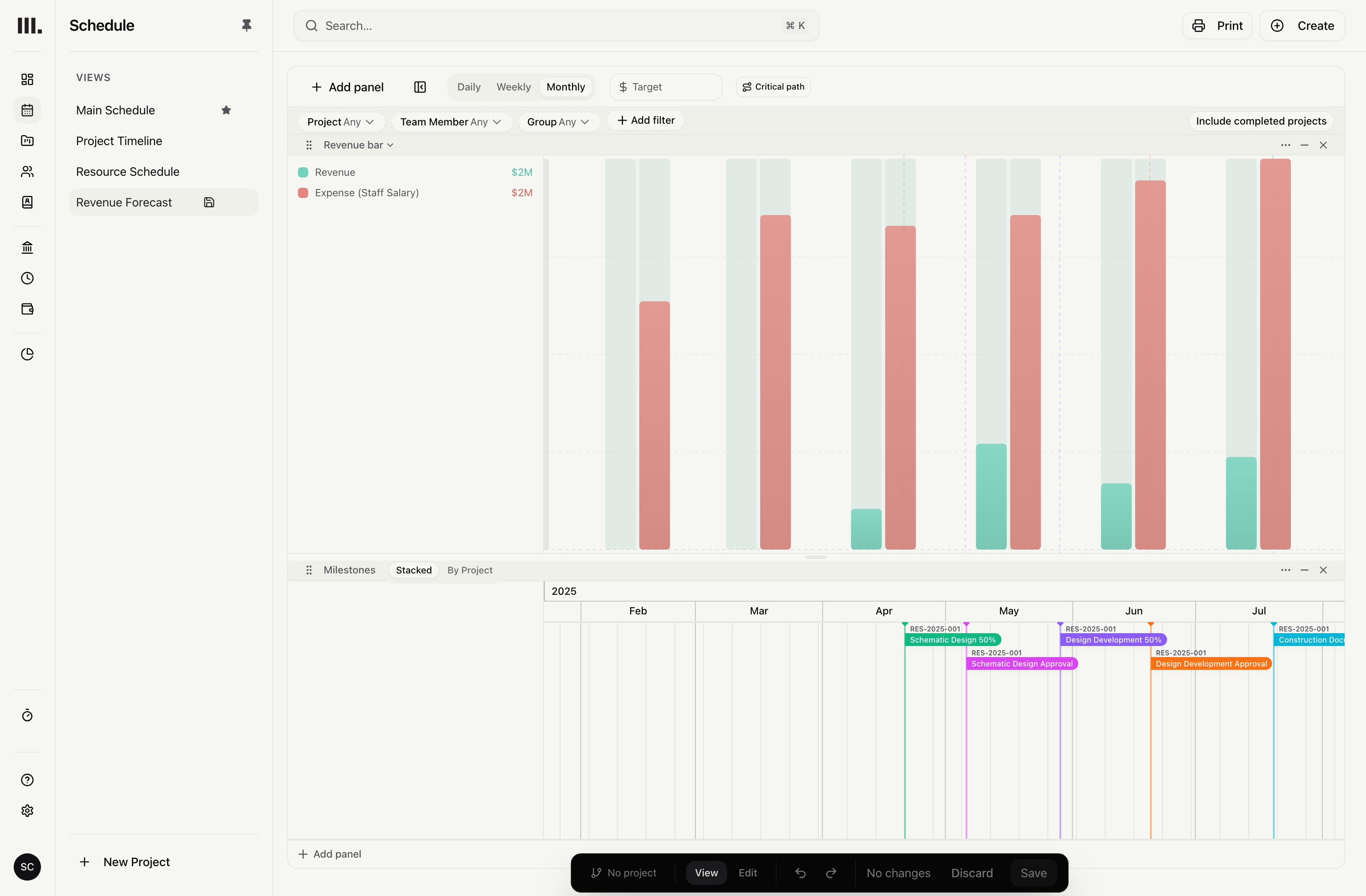
Full this month. Empty the next.
Current projects keep the studio busy, then the revenue line drops into an empty stretch no one saw coming and the next commitments arrive too late to fill it.
Review planned and billed fees, costs and staffing across the schedule and reports. Decide when to seek more work or change hiring plans.
See the month the work runs out.
Add weekly or monthly report columns and see where planned fees fall away after current work.
Weekly or monthly columns
Repeat the chosen project figure across the report timeline.
Planned fees ahead
See where planned fees fall away after current work.
Custom reports
Choose the project fields, filter the relevant entries, then group and sort them for the review.
Columns
Choose project fields and weekly or monthly columns for the report.
Filters and grouping
Filter the entries and group the result across nested levels.
Sorting
Sort the report after its filters and groups are set.
See it coming
Explore related capabilities
See the gap before projects finish.
Book a demo to see how one project from your practice moves through Monument.